What is a scheduling link?
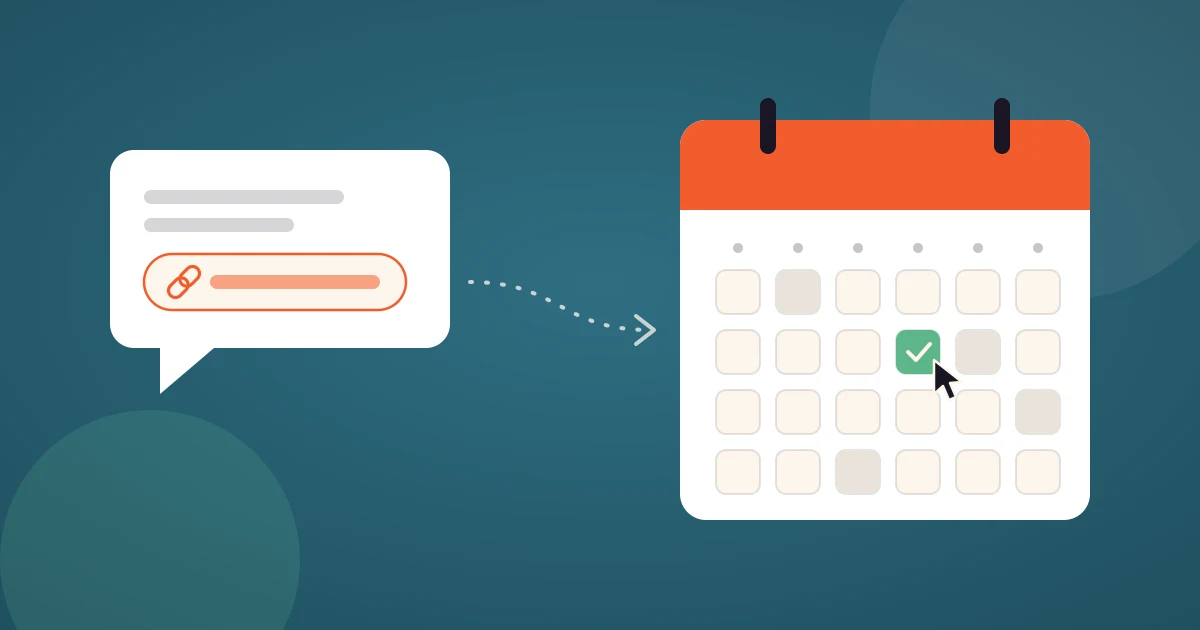
A scheduling link is a web page that shows your free time and lets anyone book a meeting with you in one click. You share the link, the invitee picks a slot that works for them, and the meeting lands on both calendars with the video call attached. No emails "does Tuesday work?" and no double booking.
Scheduling links are the core of tools such as 42min, Calendly, SavvyCal or Cal.com. This guide explains what a scheduling link is, how it decides which times to show, which kinds of scheduling links exist, and when a link is the wrong tool and a meeting poll or a plain calendar invite is better.
How scheduling links work
Every scheduling link sits on top of three things: your availability, your connected calendar and an event type. When someone opens the link, the scheduling tool combines them in real time and renders a booking page.
- Availability. Your working hours, for example Monday to Friday, 9am to 5pm in your time zone, plus any days off.
- Calendar conflicts. The tool reads the busy blocks from your connected calendar and hides them.
- Event type rules. Meeting length and how far ahead people may book.
- The booking. The invitee picks a time and provides e-mail. The tool creates the event on your calendar and generates Google Meet or Zoom link.
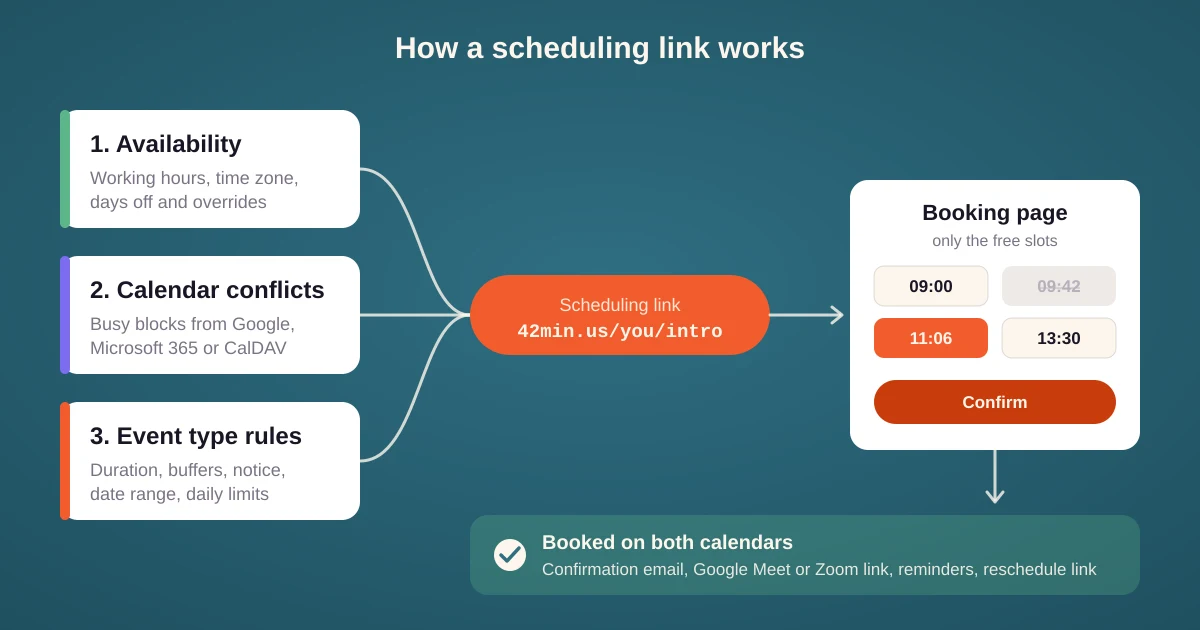
The important part is that the booking page is computed every time it is opened. If a colleague puts a call on your calendar at 10:00, the 10:00 slot disappears from your scheduling link within minutes. A static "here are my free times" email cannot do that.
What a scheduling link checks before it shows a time
A good scheduling tool does more than subtract busy blocks. In 42min a time slot is offered only when it passes every check in this list:
- Working hours from your schedule, with date-specific overrides for a short day or a vacation.
- Busy events from every connected calendar, not only the one that receives the booking.
- Holidays and out-of-office periods.
- Daily, weekly and monthly limits, for example at most four demo calls a day.
Some tools check much more and give you flexibility.
Types of scheduling links
The word covers several kinds of links. They look alike to the invitee but behave differently behind the booking page.
Personal scheduling link
One page for one host, usually at a short address with your username. It lists every event type you have made public, so a visitor chooses "30 minute intro" or "60 minute consultation" first and then a time.
Event type link
A link that goes straight to one event type, skipping the list. This is the scheduling link you put in an email signature, a sales sequence or a website button. Each event type has its own duration, form, location and rules.
Team scheduling link
One link for a whole team. With round robin scheduling the booking page shows the combined availability of every member, and each new meeting goes to the person who is free and has the fewest bookings. The invitee never needs to know who is on the team.
Group scheduling link
One time slot with many seats. A group scheduling link is how you run a webinar, a class or office hours: invitees sign up one by one until the session is full.
Single-use scheduling link
A link that works for exactly one booking and then expires. Useful when you offer a slot to one person and do not want the link forwarded or reused.
Routing link
A link that opens a short form first and then sends each visitor to the right booking page, an external page or a message, based on the answers. Routing forms are how sales teams qualify a lead before the lead sees a calendar.
Recurring scheduling link
A link that books a weekly or monthly series in one go, which is what tutors, coaches and consultants need.
Scheduling link, calendar invite or meeting poll?
| Situation | Best tool | Why |
|---|---|---|
| One other person, you want them to choose | Scheduling link | They see live availability and pick in seconds. |
| One other person, time already agreed | Calendar invite | Nothing to choose, just send the invite. |
| Several people, all must attend | Meeting poll | A link shows one calendar. A meeting poll finds the overlap of everyone's calendars. |
| Many people, one of a team must attend | Team scheduling link | Round robin assigns the meeting for you. |
| Many people, same session | Group scheduling link | Seats instead of slots. |
A common mistake is to send a personal scheduling link to a group of five. Each person books their own slot and you end up with five meetings instead of one. That is a job for a poll.
Tips for sharing a scheduling link
- Offer two or three times in the email as well. "Does Tuesday at 10 or Wednesday at 14 work? If not, pick any time here: link." A bare link can read as "you do the work".
- Use the link that matches the request. A 15 minute intro and a 60 minute workshop should be separate event types, not one link with a long form.
- Put a booking link on every confirmation. A reschedule link in the confirmation email saves a second round of emails when plans change.
- Automate what happens after the booking. Reminders, a CRM record or a Slack message can all fire from the booking through webhooks, Zapier or n8n.