What is round robin scheduling?
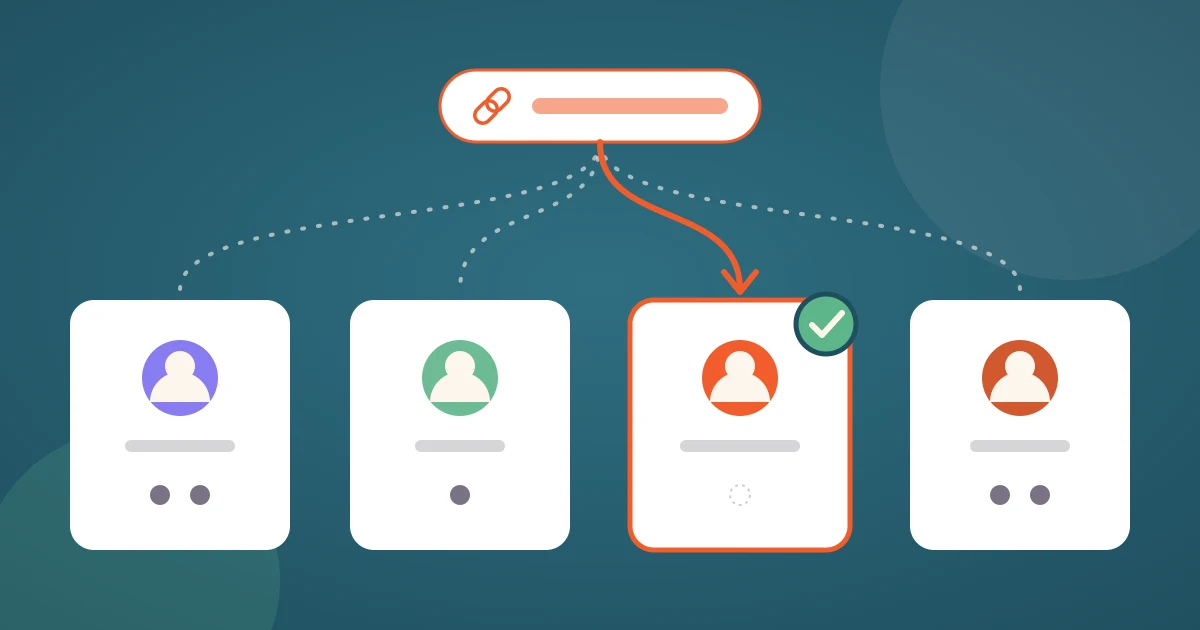
Round robin scheduling is a way to share one booking link across a whole team. The invitee sees the combined availability of everyone on the team, picks a time, and the scheduling tool assigns the meeting to one host: the person who is free at that time and has the fewest recent meetings. Nobody hands out leads by hand, and no booking waits for someone to claim it.
The name comes from the simplest version of the idea, where each new meeting goes to the next person in line. Scheduling tools such as 42min, Calendly and SavvyCal do something smarter than a fixed rotation. This guide explains how round robin scheduling works, how the host is chosen, the two ways to list a team's free time, where round robin breaks, and how to set it up.
How round robin scheduling works
A round robin event type belongs to a team, not to a person. The link looks like any other scheduling link, but the booking page behind it is built from several calendars at once.
- The team. An admin groups the hosts who should rotate: four sales reps, three support engineers, every interviewer on a hiring panel.
- Combined availability. The booking page shows a time slot whenever at least one member is free for it. Each member's working hours, connected calendar, buffers and meeting limits still apply, but only to that member.
- The booking. The invitee picks a time and confirms. Only now does the tool decide who hosts. Among the members who are free at that time, it takes the one with the fewest meetings in the recent past.
- The meeting. The event lands on the chosen host's calendar with the video link, and the confirmation tells the invitee who they will meet.
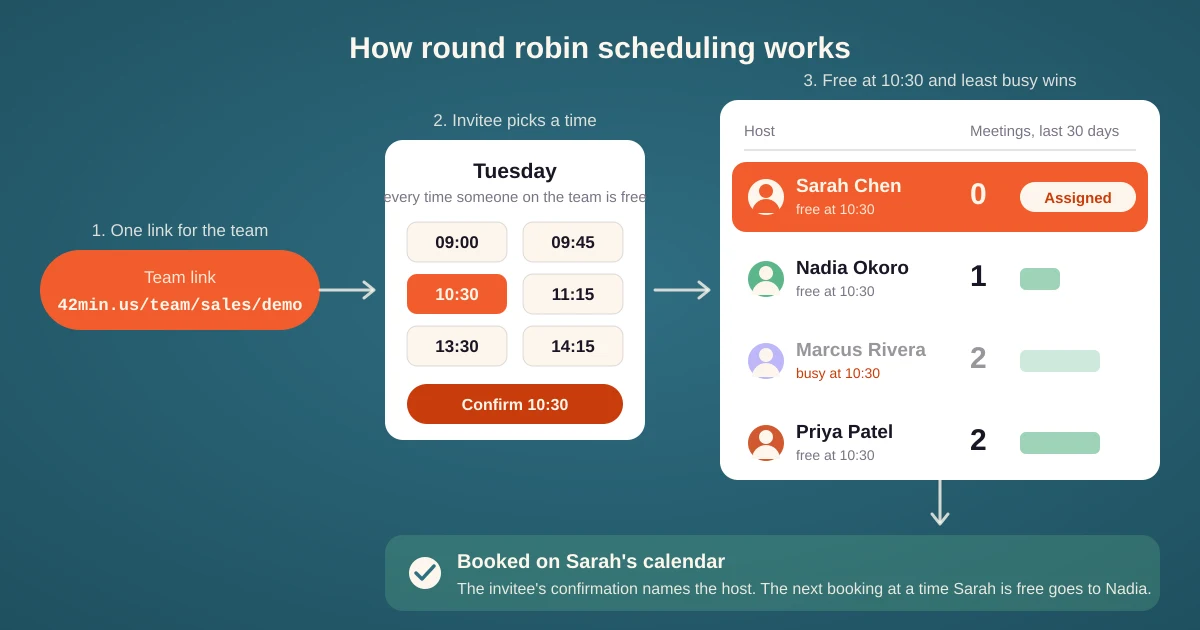
The decision is made when the booking is confirmed, not when the page is opened. Two people who open the same link a minute apart can be assigned to different hosts, because the first booking changed who is least busy.
How the host is chosen
"Round robin" suggests a strict rotation, but a strict rotation falls apart as soon as one host is on vacation or has a fuller calendar than the others. Scheduling tools therefore use a least-busy rule. In 42min it works like this:
- Only members who are free for the chosen slot are considered. Free means the slot passes that member's own schedule, calendar conflicts, buffers, minimum notice and date range.
- Among them, the member with the fewest meetings in the last 30 days wins. Pending booking requests count too, so two leads that arrive in the same minute do not both land on the same person.
- The count covers all of the member's meetings or only this event type, whichever the team's settings say. A rep who also runs onboarding calls can be measured on everything they host or on demos alone.
- A member who has reached their daily, weekly or monthly limit is skipped, even if the slot is free.
💡 The 30 day window matters. A new member of a round robin team starts with a count of zero, so for a while they receive most new bookings until they catch up with the team. That is usually what you want for a new hire, and the balance mode below keeps it from going too far.
Maximize availability or balance the load?
There is a tension in round robin scheduling between offering as many times as possible and keeping the distribution even. If one member works 7:00 to 19:00 and the others 9:00 to 17:00, the early and late slots are only ever free for that one person, and the least-busy rule cannot help: they are the only candidate. 42min lets each team choose which side wins.
| Mode | What the invitee sees | Who gets the meeting |
|---|---|---|
| 🆓 Maximize availability | Every slot where at least one member is free | The least busy member among those free. The member with the longest hours collects the edge slots. |
| ⚖️ Balance the load | Only slots of members who are not more than three bookings ahead of the least busy one | The least busy member among those free. Nobody can run far ahead of the team. |
Maximize is the right default for inbound sales, where a lost booking costs more than an uneven week. Balance fits support rotations and interview panels, where fairness is the point. If balance mode would hide every slot, for example because a member with a count of zero has no usable schedule, 42min falls back to the full team's times rather than showing an empty page.
Round robin, collective or group?
Round robin scheduling is one of several ways to put a team behind one link. They are easy to confuse because the booking pages look the same.
| Event type | Who hosts | When to use it |
|---|---|---|
| Round robin | One member, chosen per booking | Demos, support calls, screenings: any meeting one person can take |
| Collective | Every member, in the same meeting | Panel interviews, a sales plus engineering call. The page shows only times when all hosts are free, so there are few of them. |
| Group | One host, many invitees in one session | Webinars, classes, office hours |
| Group hosted by a team | One host per session, rotated across the team | Office hours or onboarding sessions covered by a pod |
The last row combines round robin with group scheduling: the first booking of a session picks the host, and everyone who signs up for that session meets the same person.
Round robin also works well behind a routing form. The form asks two or three qualifying questions, sends small accounts to a self-serve page and enterprise leads to the round robin link of the senior team.
Where round robin scheduling breaks
- A host without a connected calendar. They look free all day, so they are a candidate for every slot, collect more than their share and get double booked. Every member must connect the calendar they actually use.
- Uneven working hours. The host with the longest day owns the edge slots. Either align the schedules or switch the team to balance mode.
- Reschedules. When the invitee moves a round robin meeting, should the same host keep it, or should the tool pick again? Keeping the host preserves the relationship but fails if that host is busy at the new time. In 42min this is a team setting with both options.
- A host who leaves. A rep goes on leave with ten meetings booked. An admin needs to move those meetings to another host without canceling them, so each invitee gets an update instead of a cancellation and a new link.
- Invitees who want a specific person. Round robin hides the hosts on purpose. If a customer should be able to choose their account manager, give that person their own link.
How to set up round robin scheduling
- Create a team and add the members who should rotate. Each of them connects their calendar and sets their working hours.
- Create an event type, set its type to round robin and pick the team.
- Set the duration, location and invitee questions as for any other event type. Decide whether the team maximizes availability or balances the load, and whether a reschedule keeps the host.
- Share the team link. In 42min it looks like 42min.us/team/your-team/talk-to-sales.
💰 In 42min round robin scheduling is included in the free plan, for every member you invite. Calendly and Cal.com offer it on their paid team plans.
Tips for round robin teams
- Count the right thing. If the team hosts several event types, decide whether the count should cover all of them or only this one. "All events" is fair to the person who also runs onboarding calls.
- Keep the team alike. Round robin assumes any member can take any booking. Put people with different skills or languages behind a routing form instead of one team.
- Check the distribution after the first month. A skewed round robin count almost always points to a missing calendar connection or a schedule that is wider than the others.
- Name the host in the confirmation and the reminder. The invitee booked "the team", so tell them early who they will meet.
- Automate the handoff. A webhook, Zapier or n8n step can set the deal owner in your CRM to the assigned host the moment the booking lands.