How round robin decides who gets the meeting
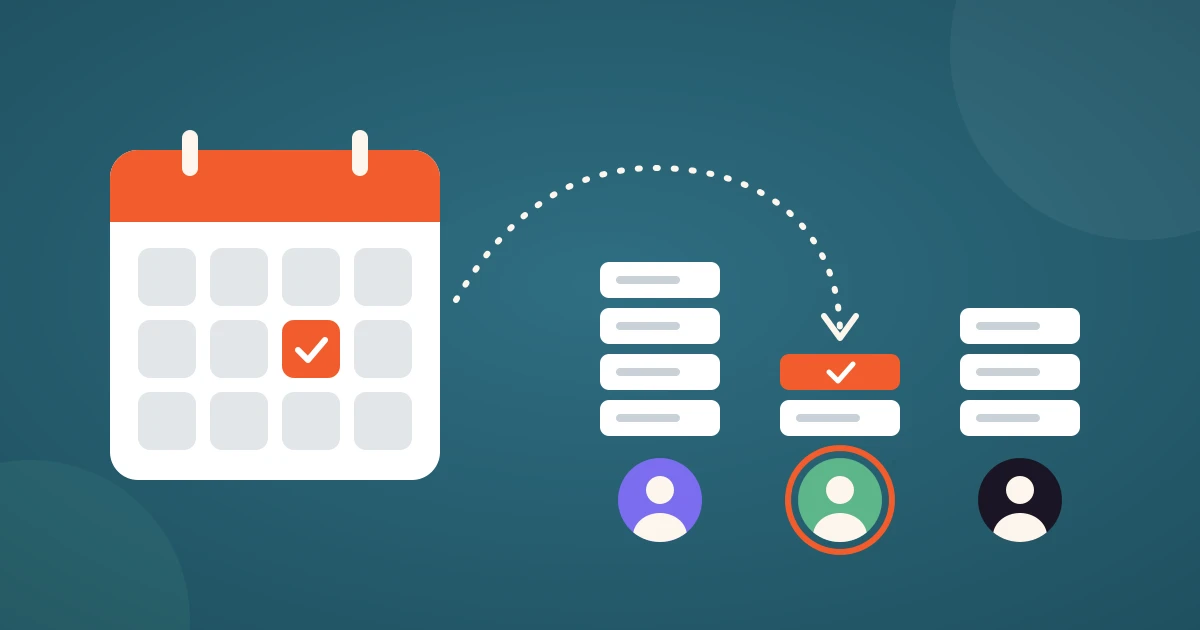
Round robin scheduling gives each meeting to one host in two steps. First the tool excludes team members who are not free at the time the invitee picked. Then a rule picks one of the members who are left, and that rule is different in every tool: 42min takes the host with the fewest recent meetings, HubSpot the one who has waited the longest, Calendly and Cal.com the one an admin ranked highest.
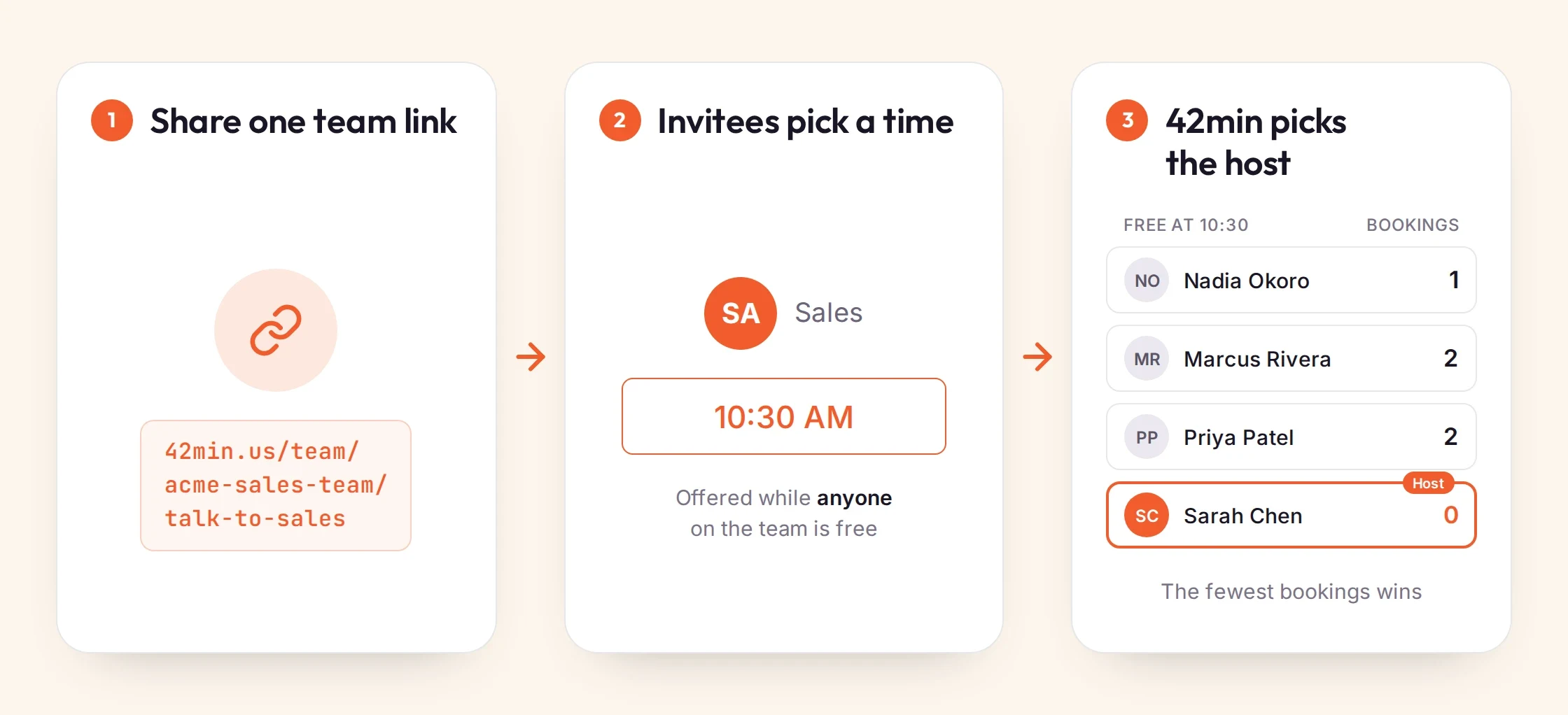
That is why the same team can end a month with a different split in a different tool, and why a sales manager can look at the numbers and call the round robin unfair. This guide sets the round robin assignment rules of five popular online scheduling tools. It then shows what 42min counts as a meeting, why a fair rule can still produce an uneven month, and how to check your own team's split. If the term is new to you, start with what round robin scheduling is.
Two steps: who is free, then who is picked
A round robin booking page shows a time whenever at least one team member is free for it. Nothing is assigned while the invitee looks at the page. The host is chosen when the booking is confirmed:
- The filter. Every member is checked against that one time: working hours, events on their connected calendar, days off and meeting limits. Whoever fails a check is out for this booking.
- The pick. If one member is left, they get the meeting and no rule is needed. If several are left, the tool applies its assignment rule.
💡 The filter decides more than the rule does. The rule only chooses among people who are free at that exact time, so most of what looks like unfair distribution comes from calendars and working hours, not from the pick.
Round robin assignment rules in five tools
Each rule below was read on the vendor's own help pages on November 25, 2026.
| Tool | Who gets the meeting among the free hosts | What you can change |
|---|---|---|
| 42min | The host with the fewest meetings in the last 30 days. A tie is drawn at random. | Count one event type or all of them. A balance mode hides the times of hosts who are more than three meetings ahead. |
| Calendly | The host with the highest priority. Among equals, the one who has not had a recent meeting, then a random draw. | Priority stars for each host. An equal distribution mode hides a host who is three or more meetings ahead. |
| Cal.com | By priority level, by weights if you turn them on, and otherwise the host who was booked least recently. A tie is drawn at random. | Five priority levels and a weight in percent for each host. |
| HubSpot | The user who has gone the longest without being assigned a meeting. | Put the contact's owner first. On Professional and Enterprise, a rotation with an even or a weighted split. |
| Microsoft Bookings | A random draw among the free staff, according to Microsoft's Bookings FAQ. | Nothing. |
Three kinds of rule, three different hosts
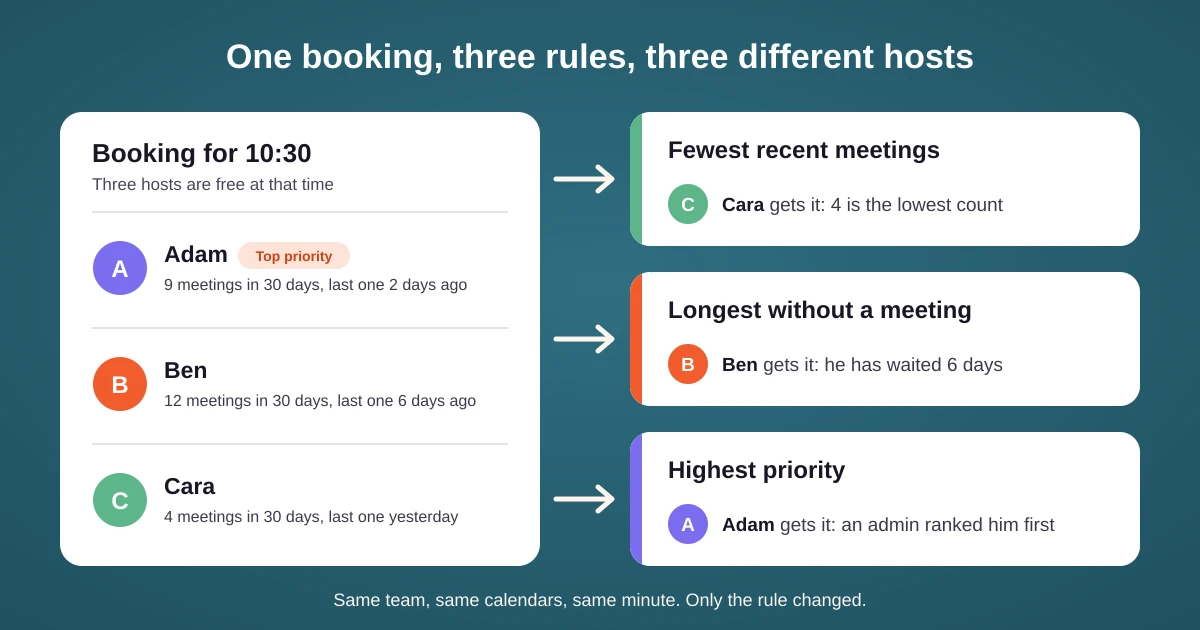
Behind the product names there are a few simple ideas, and they do not agree. Take one booking for 10:30 with three hosts free. Adam has 9 meetings in the last 30 days, the latest two days ago, and an admin gave him top priority. Ben has 12 meetings, the latest six days ago. Cara has 4, the latest yesterday.
- Fewest recent meetings picks Cara. The rule compares totals, so every pick pulls the month toward an even split.
- Longest without a meeting picks Ben, who already has three times Cara's load. The rule evens out turns, not totals: it only remembers each host's last meeting.
- Priority picks Adam, because a person decided he comes first. The automatic rule only breaks ties between hosts of the same rank.
- A random draw can pick any of the three. Over hundreds of bookings it evens out. Over the twenty or thirty a small team gets in a month, it often does not.
💡 "Least recently booked" sounds like "least busy", and the two are easy to mix up when you compare tools. A team that wants equal totals needs a rule that counts meetings. A team that wants its best closer on every call they can take needs priorities.
What 42min counts as a meeting
A counting rule is only as fair as its count. This is what goes into it in 42min's round robin:
- The last 30 days and everything ahead. A meeting counts if it starts within the last 30 days or at any time in the future, so a rep with a full week ahead already counts as busy.
- Canceled meetings drop out. When an invitee cancels, the host's count goes down by one and they move back up the line. Booking requests that still wait for approval count, so a burst of requests does not land on one person.
- One event type or all of them. The team setting "Workload counting" decides whether only this event type counts or every meeting a member hosts, their personal links included.
- A new member starts at the team average. Someone who joins today is not treated as having zero meetings. They start with the load an average teammate had on that day, so they do not receive every booking until they catch up.
- A tie is a coin toss. When two free hosts have the same count, one of them is drawn at random.
Other tools treat the same cases differently. Calendly's equal distribution mode resets every host's count to zero when a host is added or removed, and HubSpot does the same when a member joins a rotation. Cal.com, with weights turned on, gives a new host a starting adjustment based on the bookings the existing hosts already have.
Why the split is still uneven
Take a team of four behind one "Book a demo" link. Ana and Ben work 9:00 to 17:00 Eastern time. Chris and Dana work the same hours on Pacific time, which is 12:00 to 20:00 Eastern. In one month the link gets 20 bookings, and most leads pick a morning time:
| Time booked (Eastern) | Bookings | Who is free | Who gets them |
|---|---|---|---|
| 🌅 9:00 to 12:00 | 12 | Ana, Ben | Ana 6, Ben 6 |
| ☀️ 12:00 to 17:00 | 6 | All four | Chris 3, Dana 3 |
| 🌙 17:00 to 20:00 | 2 | Chris, Dana | Chris 1, Dana 1 |
The month ends at 6, 6, 4 and 4, give or take one depending on the order the bookings arrive. The fewest-meetings rule did all it could: it sent the bookings in the shared hours to the two people who were behind. It could not do more, because 12 of the 20 bookings came at hours only two people work. A random draw would split the shared hours among all four and leave Ana and Ben with about three times as many meetings as Chris and Dana.
Most uneven months have a cause of this kind. Check these first:
| What you see | Likely cause | What to do |
|---|---|---|
| 🌅 One rep gets nearly every early or late meeting | They are the only one who works those hours | Align the hours, or accept the gap as the price of a longer booking day |
| 📅 A rep with wide hours gets few meetings | Their calendar is busy at the times leads pick: internal meetings, personal blocks, bookings from another link | Look at their calendar for those hours before you look at the tool |
| 🏖️ A rep gets several meetings in a row | They were away, so their count is the lowest and the rule is catching them up | Nothing. The run ends when the counts are level |
| 🔌 A rep gets no meetings | Their calendar connection stopped working, or they reached a daily, weekly or monthly meeting limit | Reconnect the calendar or raise the limit |
| 👻 A rep gets the most meetings and is double booked | No calendar is connected, so they look free for all of their working hours | Have every member connect the calendar they really use |
⛔ A common mistake is to add a rep to the team before their calendar is connected. With no calendar to read, a tool can only assume that the rep is free for all of their working hours.
More bookings or an even split
No rule can give a meeting to someone who is not free, so the only way to force an even split is to stop offering some times. That is what balance modes do. In 42min, "Balance team workload" hides the times of any member who is more than three meetings ahead of the least busy one. Calendly's equal distribution mode does the same at three, and its help page warns that this "can mean fewer bookings overall".
In the example above, the morning times would disappear from the page whenever Ana and Ben got too far ahead, and a lead who wanted 9:30 would see only afternoons. For inbound sales that is usually the wrong trade: a lost demo costs more than an uneven month. Balance fits teams where fairness is the point, such as support rotations or interview panels. If the members who are behind have no free times at all, 42min shows the hidden times again instead of an empty page.
How team size changes what invitees see
- A member with the same hours adds no new times. They add depth: a 10:30 slot stays on the page until every free member has a meeting at 10:30.
- A member with different hours adds new times. Each of those times is covered by one person, who gets every booking made there.
- A very large team has more that can go wrong. Every page view has to check every member's calendar. On Calendly's community forum in January 2026, a customer with 37 hosts in one event reported times shown as free that were not, found the problem gone with 12 hosts, and was told a fix was being tested.
- Several small teams work better than one big one. Group reps by region, language or deal size and put a routing form in front, so each lead reaches a team where any member can take the call.
How to check your team's split
- Count 30 days, not one week. In 42min, open Meetings and filter by host, or export the CSV and count the Host column. A week is too short to judge any rule.
- Lay the working hours side by side. Mark the hours only one member covers. Bookings made there never reach the rule.
- Compare them with the times leads pick. If most bookings fall into hours that two of five reps cover, those two will lead whatever the rule is.
- Check what the count includes. A rep who also hosts onboarding calls looks busy when all event types count, and idle when only demos count.
- Check the calendar connections. One member with no calendar, or with a connection that broke last week, can explain more skew than any setting.
💰 Round robin is part of 42min's free plan for every member you invite, with both counting options and the balance mode included.