What is CalDAV?
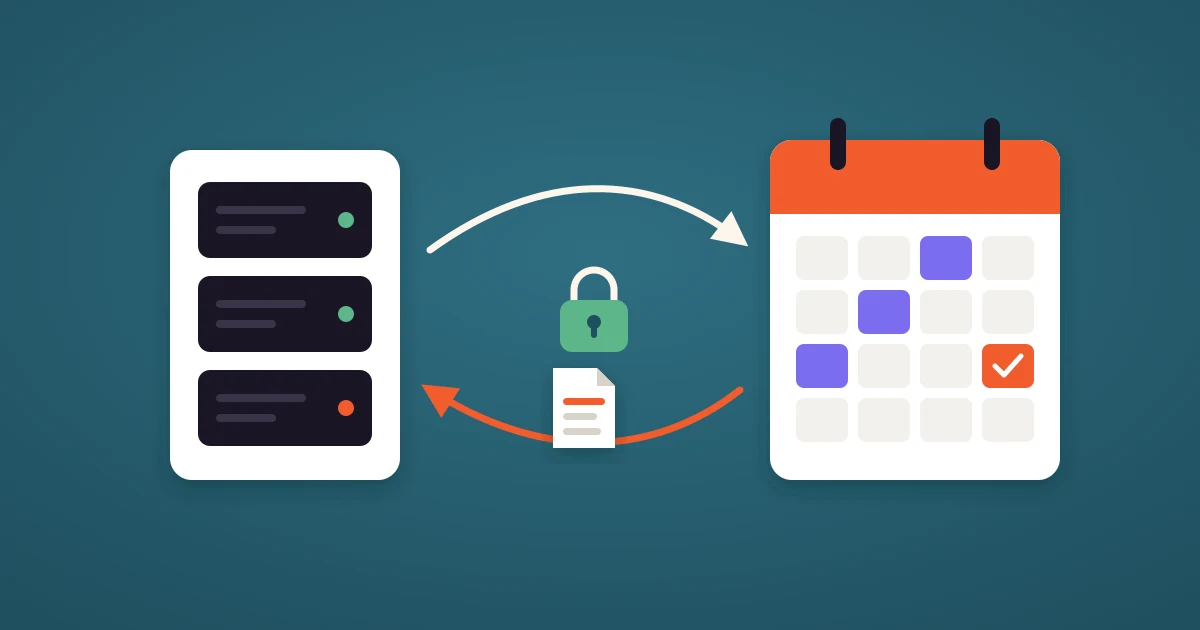
CalDAV is an open standard that lets one app read and write the events of a calendar stored on another server. Apple iCloud, Fastmail, Zoho, Yahoo, Nextcloud and most self-hosted calendars speak it. When a scheduling tool connects to one of them over CalDAV, it can see when you are busy and put new bookings straight onto your calendar, without that calendar being Google or Microsoft.
The name stands for Calendaring Extensions to WebDAV. It was published as RFC 4791 in 2007, and it carries events in the iCalendar format, the same format as the .ics files you get as email attachments. This guide explains what CalDAV is, how a CalDAV connection works, how it differs from an ICS feed, which calendars support it, and where CalDAV breaks.
How CalDAV works
A CalDAV server is a web server that keeps each event as a small iCalendar file inside a calendar folder. An app talks to it over plain HTTPS, with a few extra request types for finding calendars and querying them by date. A scheduling software uses it in four steps:
- Sign in. You give the tool your server address, your username and a password. For iCloud, Fastmail, Zoho, Yahoo and Yandex that password is an app password created for this one tool, not your account password.
- Discovery. The tool asks the server who you are and where your calendars live, then lists them: Home, Work, Family and any shared calendars.
- Reading busy time. Each time your booking page is built, the tool asks the calendars you selected for every event in the date range. Events marked as free and canceled events are ignored, and recurring events are expanded into single occurrences.
- Writing the booking. When someone books, the tool uploads a new iCalendar file to the calendar you chose. A reschedule replaces that file and a cancellation deletes it. The same mechanism places tentative holds, which is how a meeting poll keeps its proposed times free while people vote.
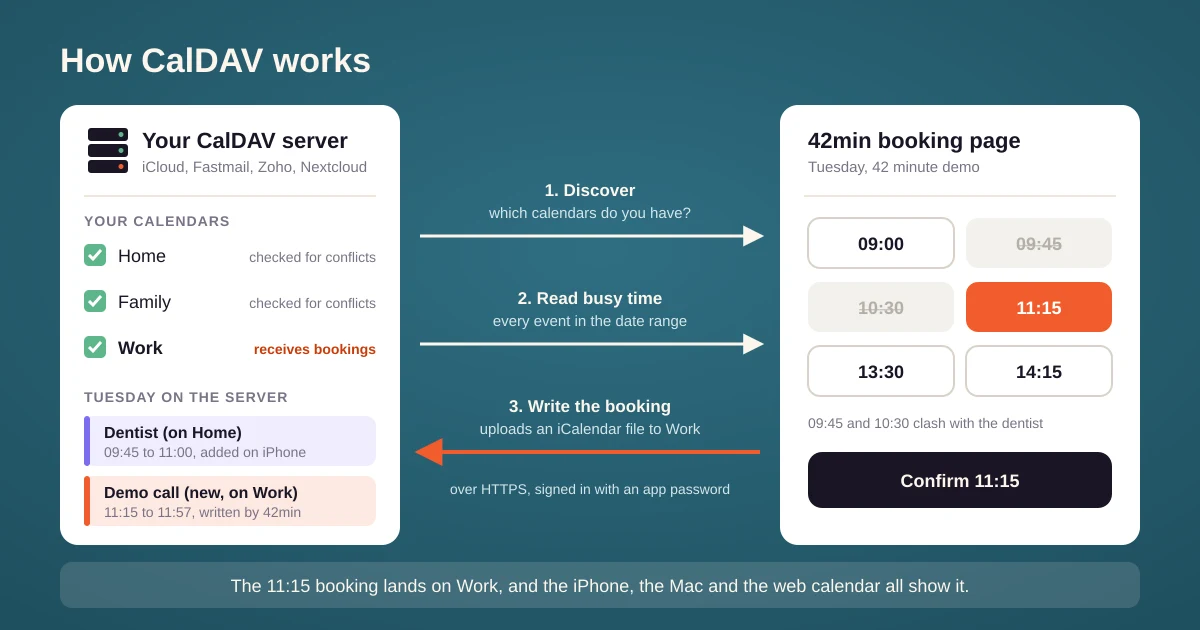
💡 CalDAV is a two-way connection. Your phone, your laptop and your scheduling tool all work on the same calendar on the server, so an event you add on your iPhone at 10:00 closes the 10:00 slot on your scheduling link within a couple of minutes, and a booking made through the link shows up on the iPhone the same way.
CalDAV, iCalendar or an ICS feed?
The three terms show up in the same settings screens and are easy to mix up.
| Term | What it is | Reads | Writes |
|---|---|---|---|
| iCalendar (.ics) | A file format for events | Yes, one file at a time | No, it is only a format |
| ICS feed | A public URL that serves a whole calendar as one .ics file | Yes, refreshed every few hours | No |
| CalDAV | A protocol for a calendar server | Yes, live and by date range | Yes, create, update and delete |
| Google or Microsoft API | The provider's own interface | Yes, live | Yes |
⛔ A common mistake is to paste an ICS feed where a scheduling tool asks for a CalDAV address. The feed is read only and can lag by hours, so the tool cannot add bookings, and a meeting you added this morning may not block your booking page until tonight. That is how double bookings happen.
Which calendars support CalDAV
- Apple iCloud Calendar. The calendar behind the iPhone, iPad and Mac Calendar app. It has no other way in for third-party tools, so CalDAV is how you connect iCloud Calendar to anything.
- Fastmail, Zoho, Yahoo and Yandex. All offer CalDAV with app passwords. Zoho runs separate data centers, so the server address depends on your region.
- Self-hosted servers. Nextcloud, Radicale, Baïkal, SOGo and the calendar apps of Synology and other NAS boxes are CalDAV servers.
- Google Calendar. It speaks CalDAV too, but scheduling tools use its own API, which supports sign-in with Google and Meet links.
- Microsoft 365 and Outlook.com. They do not offer CalDAV. Tools connect to them through Microsoft's API.
Where CalDAV breaks
CalDAV is one standard implemented by many servers, and each one reads the standard a little differently. These are the problems a scheduling tool has to handle:
- Revoked app passwords. Apple deletes every app password when you change your Apple Account password, without telling the apps that use them. The connection stops until you create a new app password and reconnect.
- Recurring events. Some servers expand a weekly meeting into single occurrences for the client, others refuse and send the rule. A tool that cannot fully read a recurring series should treat that time as busy. 42min hides the slot rather than risk a double booking.
- Read-only calendars. Subscribed and shared calendars can block your booking page, but a booking cannot be written to them. Pick a calendar you own as the one that receives new bookings.
- Invitations. A CalDAV server stores events, but servers differ on whether they email the attendees. 42min sends the invitation and the confirmation itself, so the invitee gets exactly one email, whichever server you use.
- Self-hosted networking. A home server on a private address or an unusual port cannot be reached from the internet. In 42min the server must answer over HTTPS on port 443 at a public hostname.
How to connect a CalDAV calendar to 42min
- Create an app password in your calendar provider's security settings and copy it. Most providers show it only once.
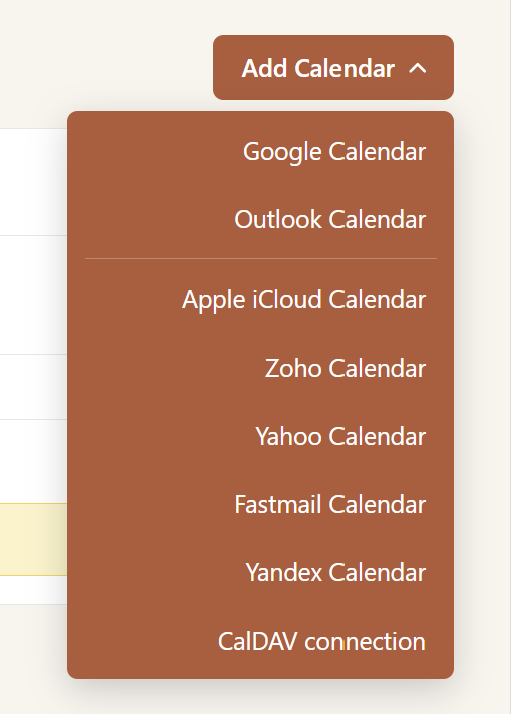
- In 42min open Availability, then Calendar, click Add Calendar and choose your service. iCloud, Fastmail, Zoho, Yahoo and Yandex already know their server address. For anything else choose CalDAV and enter the server URL.
- Enter your email address or username and the app password.
- Tick the calendars that should block your booking page, and choose the one calendar that new bookings are written to.
The CalDAV setup guide covers each provider and the requirements for a self-hosted server.
💰 In 42min CalDAV calendars, iCloud included, are part of the free plan, next to Google and Microsoft. Calendly connects only Google, Microsoft 365 and Exchange calendars, and Cal.com lists its CalDAV app as beta.
Tips for CalDAV calendars
- Create one app password per tool and name it. "42min" in the list of app passwords tells you later what to revoke and what to keep.
- Tick every calendar that holds commitments. The family calendar and the shared team calendar count. An unticked calendar is invisible to your booking page.
- Reconnect after a password change. On iCloud this is the most common reason a booking page suddenly shows times you are not free.
- Keep teams on connected calendars. In a round robin team, a member on Fastmail or Nextcloud is checked like everyone else, as long as the calendar stays connected.