What is iCalendar?
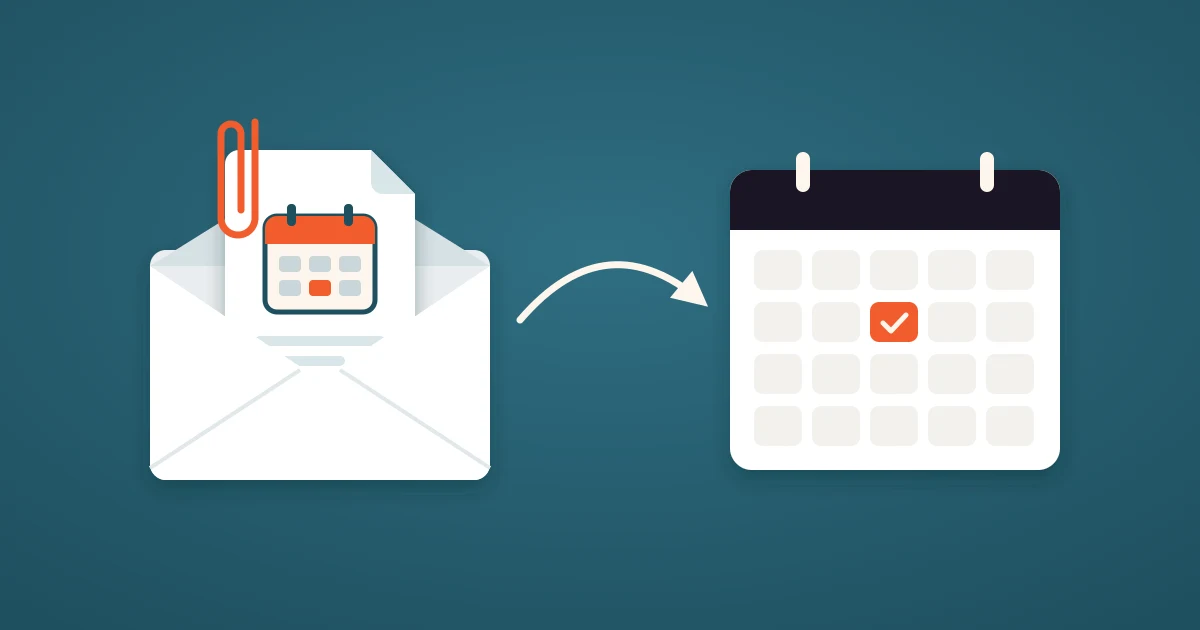
iCalendar is the open standard format for calendar data. It describes an event (its title, start and end time, location and guests) as plain text that any calendar app can read. A file in this format ends in .ics, which is why people call it an ICS file. When a meeting invitation arrives with an "Add to calendar" card in Gmail or Outlook, an iCalendar file is behind it.
The format is defined in RFC 5545, and Google Calendar, Apple Calendar, Outlook, Thunderbird and practically every scheduling software read and write it. This guide explains what iCalendar is, what is inside an .ics file, how to open one, and where iCalendar files go wrong.
What is iCalendar, in short
iCalendar started as vCalendar, a format a group of tech companies created in 1996 to move appointments between organizers and phones. The Internet Engineering Task Force turned it into iCalendar in 1998 and published the current version, RFC 5545, in 2009. Nearly three decades later it is still the one format that every calendar understands.
- File extension: .ics (sometimes .ical)
- Media type: text/calendar, which is how email apps recognize an invitation
- What it can hold: events, to-dos, journal entries, free or busy time and time zone rules
- How it travels: as an email attachment, a download from a web page, a subscription URL or a file on a CalDAV server
What is inside an .ics file
An .ics file is plain text, so you can open one in any text editor. Here is a complete iCalendar file for a 42 minute call:
BEGIN:VCALENDAR
VERSION:2.0
PRODID:-//42min//Booking//EN
METHOD:PUBLISH
BEGIN:VEVENT
UID:4f9a2c61@42min.us
SEQUENCE:1
DTSTAMP:20261103T091500Z
DTSTART:20261104T150000Z
DTEND:20261104T154200Z
SUMMARY:Intro call with Anna
LOCATION:Google Meet
END:VEVENT
END:VCALENDAR
The file is a set of nested blocks. VCALENDAR wraps everything, and each VEVENT inside it is one event. The lines that matter most:
- UID: the event's permanent ID. A calendar uses it to recognize the same event when an updated copy arrives.
- DTSTART and DTEND: the start and end. The Z at the end means UTC, so the event lands at the right local time in every time zone.
- SUMMARY, LOCATION and DESCRIPTION: the title, the place or video link, and the notes.
- SEQUENCE: the revision number. Each change to the event raises it by one.
- RRULE: a repeat rule, such as every Tuesday for ten weeks. It is missing here because this call happens once.
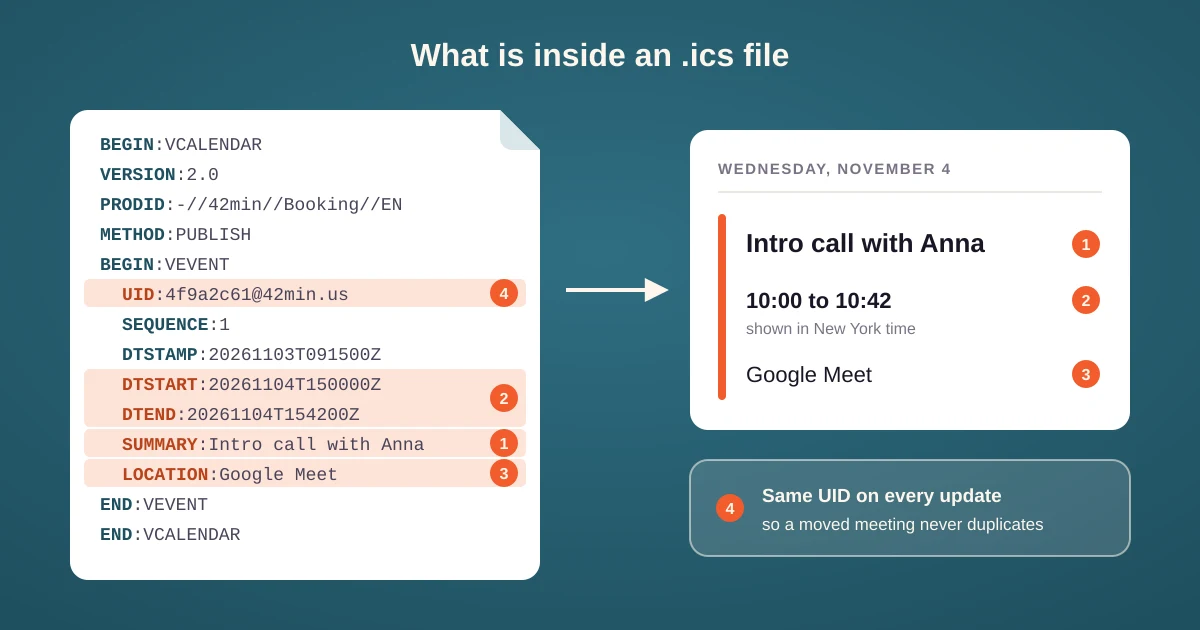
💡 The UID is what turns a file into a living event. When a meeting moves, the new .ics carries the same UID and a higher SEQUENCE, so the calendar moves the entry it already has instead of adding a second one. A tool that changes the UID on every update leaves you with two copies of the meeting at two different times.
iCalendar, ICS feeds and CalDAV
iCalendar is only a format. Two other things carry it around, and they behave very differently:
- An ICS feed is a URL that serves a whole calendar as one .ics file. You subscribe to it, and your calendar app downloads it again every few hours. It is read only.
- CalDAV is a protocol for calendar servers such as iCloud and Fastmail. It stores each event as an iCalendar file and lets apps read and write them live.
⛔ A common mistake is to share a calendar's ICS feed and expect the other side to see your changes at once. Subscribed feeds refresh on the reader's schedule, and Google Calendar can take many hours to pick up a change. For anything that decides when you are free, like a booking page, use a live connection instead.
How to open an .ics file
- iPhone, iPad and Mac: tap or double-click the file, and Apple Calendar offers to add the event.
- Outlook: open the attachment, or double-click the file in Windows, and save the event to your calendar.
- Google Calendar: in Gmail, use the calendar card above the attachment. For a file on your computer, open Google Calendar on the web, then Settings, then Import and export.
- Android: the Google Calendar app cannot import a file, so use the Gmail card or the web import above.
Where iCalendar files go wrong
Every calendar reads RFC 5545 a little differently, and most invitation problems come from the same few places:
- Time zones. An event with no time zone and no Z is a "floating" time, and each calendar places it in its own local zone. An invitee in another country then sees the meeting hours off.
- Duplicates. A new UID on a rescheduled meeting creates a second event beside the old one, and the invitee no longer knows which time is right.
- Ignored updates. Outlook in particular ignores an update that does not carry a higher SEQUENCE, so the old time stays on the calendar.
- Recurring events. Repeat rules with exceptions, such as "every Monday except the 24th", are read differently by different apps. A missing exception means a meeting that looks real but is not.
How 42min uses iCalendar
Every booking made through a 42min scheduling link sends the invitee a confirmation email with the meeting attached as an iCalendar file. Gmail and Outlook turn that attachment into their own "Add to calendar" card, and the email also has one-click buttons for Google Calendar, Microsoft 365 and Outlook.com. Guests added to the booking get the same file.
- Reschedules update, never duplicate. The file's UID is the booking's own ID and its SEQUENCE counts the moves, so the entry already on the invitee's calendar moves to the new time.
- Times are in UTC. The invitee's calendar shows the meeting in their own time zone, wherever they are.
- A series arrives as one file. For recurring meetings the invitee imports every occurrence at once, and each occurrence is its own event, so moving one meeting leaves the rest of the series alone.
- CalDAV calendars get iCalendar too. On iCloud, Fastmail or Nextcloud, 42min writes each booking to your calendar as an iCalendar file.
💰 All of this is on the 42min free plan.
Tips for working with .ics files
- Use the newest email when a meeting moves. Its file carries the highest SEQUENCE, and a calendar may ignore an older copy.
- Be careful with invitations from strangers. Calendar spam uses .ics files to put links on your calendar. Google Calendar can add invitations only from known senders.
- Check the time zone after importing. If an event lands at an odd hour, the file probably had a floating time.
- Use a live connection for availability. Feeds are fine for holidays and sports fixtures, not for a calendar that decides when people can book you.